THE KUKUNOTES WEB WORKSPACE
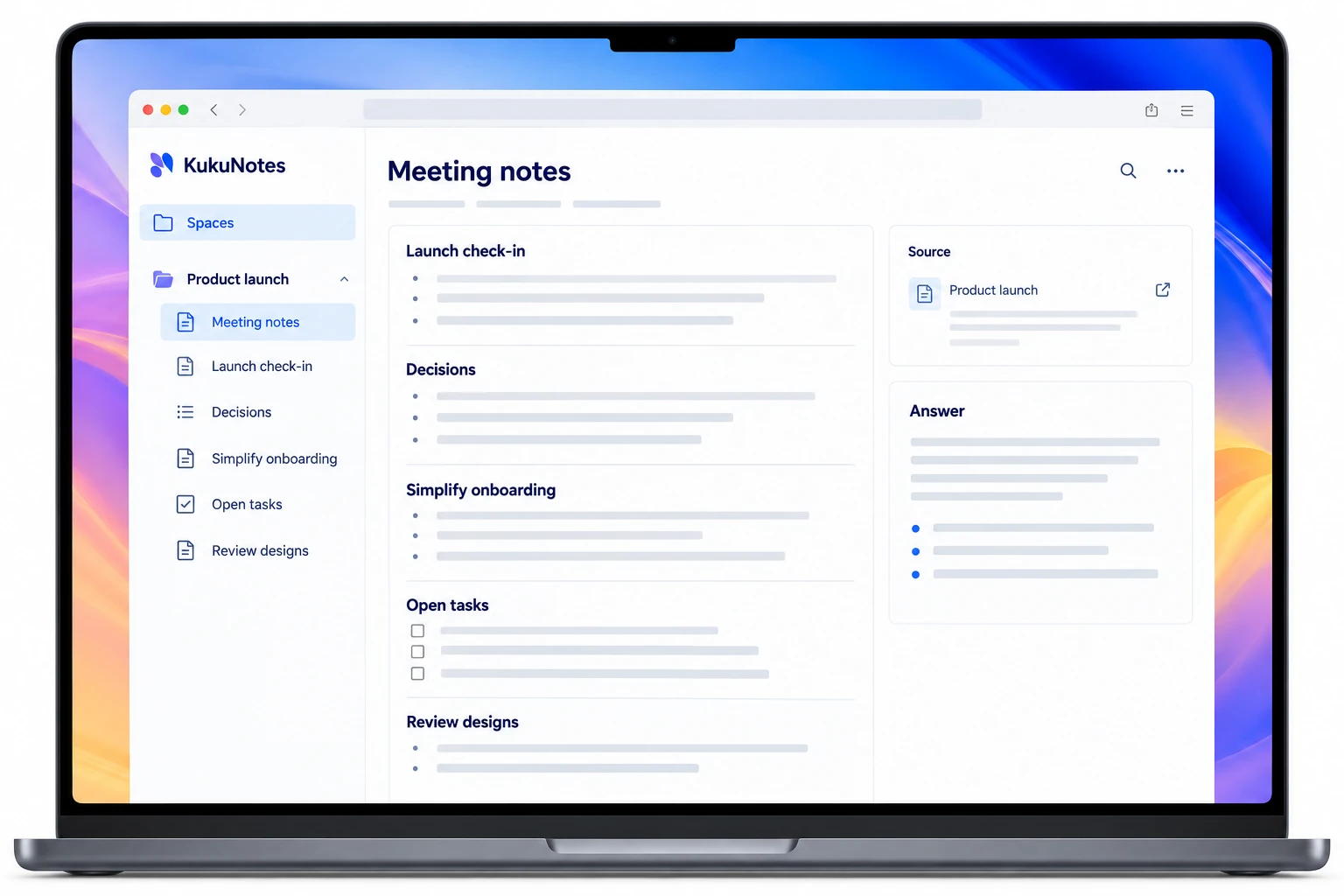
Your KukuNotes workspace, in the browser.
A little more room for your notes and next steps.
Open your Spaces, review meeting notes, work through tasks, and ask KukuNotes a question. The web workspace connects what you capture on Android, Windows, and Chrome.
Any modern browser · No installation needed
YOUR NOTES, CONNECTED
Captured on your device. Ready in your workspace.
Use the web app to review and organize conversations you have already recorded. Capture happens in the Android app, Windows app, or Chrome extension.
Explore your personal assistant KukuNotesSample preview
Team check-in
The team agreed to focus the next release on onboarding and review updated designs on Friday.
Prioritize the onboarding flow.
Linked to source · 04:12Explore the tabs · This is a product demonstration
OPEN YOUR WORKSPACE
Your workspace, without another install.
- 01
Open the web app
Go to platform.kukunotes.com in a modern browser.
- 02
Use the same account
Sign in with the KukuNotes account you use on your other devices.
- 03
Pick up the thread
Open a Space, review your notes and tasks, or ask about a past conversation.
YOUR CONVERSATIONS. YOUR CHOICE.
Your context,
in one workspace.
The web workspace is for reviewing and organizing captured conversations. Choose what to record in the Android app, Windows app, or Chrome extension, and share selected notes and tasks when needed.
How recording and privacy workOpt-in capture
No meeting bot
Share selected notes and tasks
The Android app does not record phone or dialer calls.A FEW MORE DETAILS
KukuNotes on the web,
explained.
Getting started, supported features, and choosing the right app.
Talk to the teamWhat is platform.kukunotes.com?
It is the official KukuNotes web application—your Spaces, notes, tasks, meetings, and Ask KukuNotes chat in the browser, synced with the mobile and desktop apps.
Do I need to install anything for the web app?
No. Sign in at platform.kukunotes.com with the same account you use on Android or Windows. A modern browser is enough.
Can I record meetings from the web app?
Capture is designed for the Android app, Windows app, and Chrome extension. The web app is where you review, organize, and ask questions about what was already captured.
PICK UP WHERE YOU LEFT OFF
Make room for
your next step.
Your Spaces, notes, and tasks are ready in your browser.